Feb 13, 2012 | Cashculator
We’ve just released Cashculator version 1.3.0.
While there are almost no new features in it and a handful of bug fixes, this release is a “point release”, because it drops the support for PowerPC-based Macs and for Mac OS X 10.5, also known as Leopard. Leopard is now 2 versions behind latest Mac OS X and we see minimal use of Cashculator on PPC-based Macs. We also have no way to test again 10.5 and were hit by this in one of our latest updates.
If you need to download the last version of Cashculator that worked on PPC or Leopard, download: Cashculator for 10.5 and PPC.
Full release notes for Cashculator 1.3.10:
- Database integrity fixes
- Fix for French localization
- Arrow keys now work when editing income/expenses table cells to move inside the cell’s text instead of jumping to another cell
- Editing mode for a cell can now be activated by double-clicking on the cell, in addition to pressing the Enter key.
- Better management of Cashculator database backups.
- The income/expense and reconcile tables are now non-elastic when scrolling in Lion. Elastic scrolling didn’t look good.
- Better error handling in several cases
Dec 15, 2011 | Blast, Cashculator
Two updates today. Both Cashculator and Blast get minor but important updates.
Cashculator 1.2.10 fixes some important bugs:
- Table grid drawing fix in Lion (wasn’t in 1.2.7)
- Full-screen mode in Lion (wasn’t in 1.2.7)
- Fixed a bug that occasionally prevented saving of the database (“month is a required value” message).
- Fixed issue that sometimes arises when people move to another Mac or change username
- Fixes to tutorial UI
Blast 1.7.5 also brings some important bug and usability fixes:
- Fix crash on launch for some users.
- Fix bug where some of the results reappeared after cleaning the list.
- Don’t show Blast off-screen if the icon is too far right on the menu bar
- Blast’s window height will adjust if it’s too high for the screen resolution
- Return focus to previous application when closing Blast’s window
- Some memory and speed optimization
The updates are now available both on the Mac App Store and for direct version users.
Direct customers can update right from the applications or download new versions from the web site and overwrite their copies.
Aug 3, 2011 | Cashculator
Today (Aug 3rd) we released to the Mac App Store version 1.2.8 Cashculator Free. Only the free version was updated and it includes the following important changes:
- It is Lion-only. It won’t run on Snow Leopard.
- It can now be unlocked through In-App purchase to have all the features of the regular Cashculator version. This means unlimited planning into the future and unlimited number of “what-if” scenarios.
- Cashculator is now working inside the sandbox, which is an important new security feature in Lion. This brings increased protection from possible hackers if they break Cashculator to do their bidding. For example, Cashculator now won’t be able to access files on your file system, except the files it needs for work or your CSV exports.
- Important: Because Cashculator works in the sandbox now, it also means that the database is moved to the application’s container, which is a special folder in the user’s Library folder (which is by default hidden in Lion).
In non-sandbox Cashculator, the database was at [user home]/Library/Application Support/cashculator/
folder, and now it is in [user home]/Library/Containers/com.apparentsoft.cashculatorfree/Data/Library/Application Support/cashculator/. Yes, much deeper in the folder hierarchy.
- One of the features that was hit by sandboxing was the ability to have Cashculator’s database in any location in the file system and not only inside the Application Support. This is now not possible (remember the container?) so if you had your database in a custom folder, you should copy it inside the container folder above. If you didn’t move your database manually, you don’t need to do anything. All files will be moved inside the container automatically.
To celebrate this event we temporarily set the price of the in-app purchase at 33% discount of the regular price.
Note, only the Free edition of Cashculator requires OS X Lion. The regular version of Cashculator on the Mac App Store works on 10.6 (Snow Leopard) and the version available directly on our site is a Universal binary running on PPC or Intel on Mac OS X 10.5 (Leopard).
May 24, 2011 | Announcements, Cashculator, Socialite
A week ago we launched the Productive Macs bundle with 8 great productivity applications for the Mac.
We now announce a big raffle of 50 prizes. You don’t even have to buy the bundle. In order to participate in the drawing, do one of the following:
Increase your chances of winning by doing all 3 of them!
The prizes are 10 of each: Fantastical, Firetask, Cashculator, a year of Backblaze online backup or the bundle itself for free.

Productive Macs Raffle prizes
Apr 20, 2011 | Cashculator
A couple of days ago we finally released Cashculator Free on the Mac App Store. It’s a little limited version of our Cashculator application, which is available for about 18 months now.
The Free version is only limited in the number of scenarios (up to 2) and the number of months that you can plan your finances forward (3 months). Otherwise they are the same.
Free seems to have its power in getting a word about your application as it removes any barriers to downloading it. So far we’ve got some prominent positions on the Mac App Store, at least in the Financial category. It’s number 1 Free Financial app in many countries (including major ones) and it’s also inside top 50 Free Apps currently in the US, UK, Japan, Canada, Australia and more countries.
Cashculator Free also currently displayed well in the App Store application (click for larger images on Flickr):
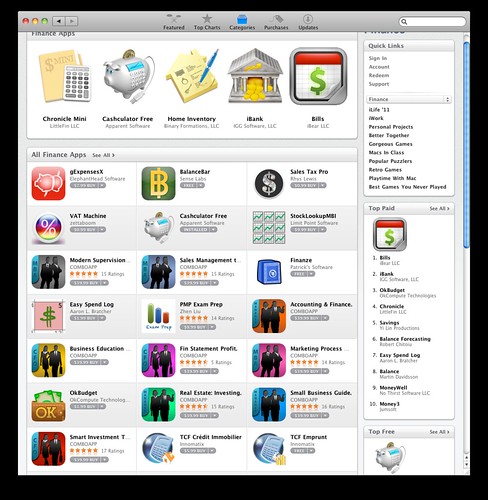
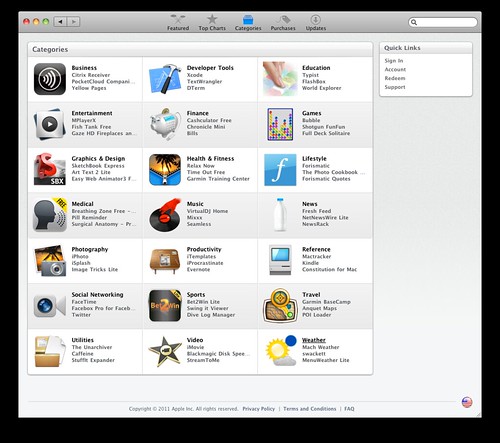
It’s an interesting experiment in marketing for us and we’ll see if it will convert to more sales of the full version. Even if not, it’s still good for our new customers and for us.
Mar 14, 2011 | Cashculator
After a (longer than we’d like) delay we’ve finally released version 1.2.7 of Cashculator.
No major changes this time, though. Some bug fixes and UI changes, plus the ability to sign-up to Cashculator newsletter from within the application. Full release notes:
- FIX: Scroll to current month when launching.
- Fix disappearing of edit for new scenarios names.
- Fix link to Cashculator forum.
- NEW: Complete sidebar entry when enter is pressed in comment field.
- Wider border between rows in “Both” view.
- Added note in guide about multiple accounts at step 38.
- Updated English manual with hints on handling multiple accounts.
- Subscribe to Cashculator newsletter menu item added.
Auto-update from Cashculator menu or download from http://www.apparentsoft.com/cashculator/download.